
Grading the way teachers actually grade
Every teacher grades a little differently. Quizzes worth more in this class, participation in that one. The Tafsir teacher cares about memorization checks, the Fiqh teacher about mid-term exams.
Most LMSs make you fight that. We don't.
Type the score, move on
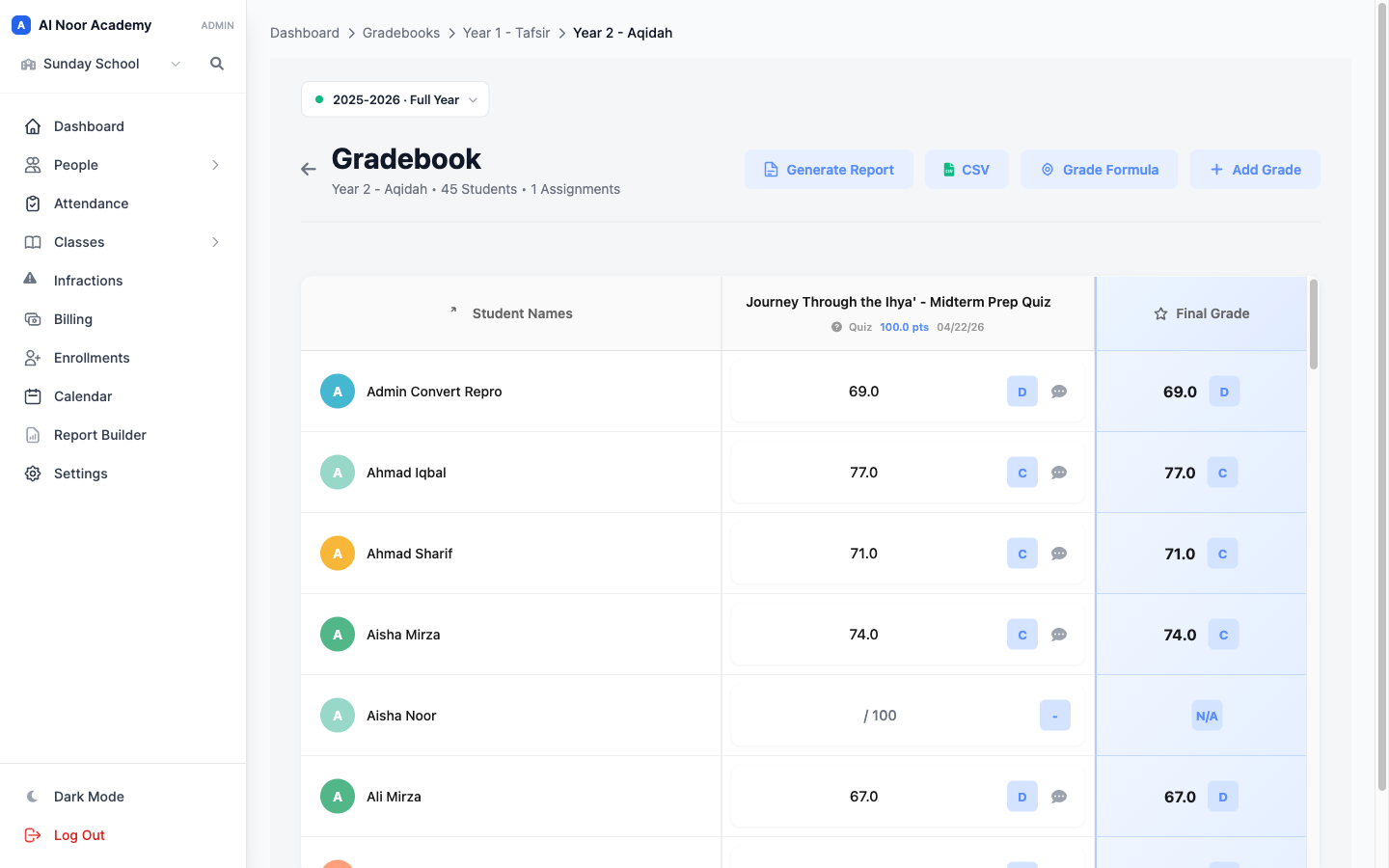
The gradebook is a spreadsheet that knows what it's doing. Click a cell, type a number, the letter grade and class average update live.
Custom weights, custom categories
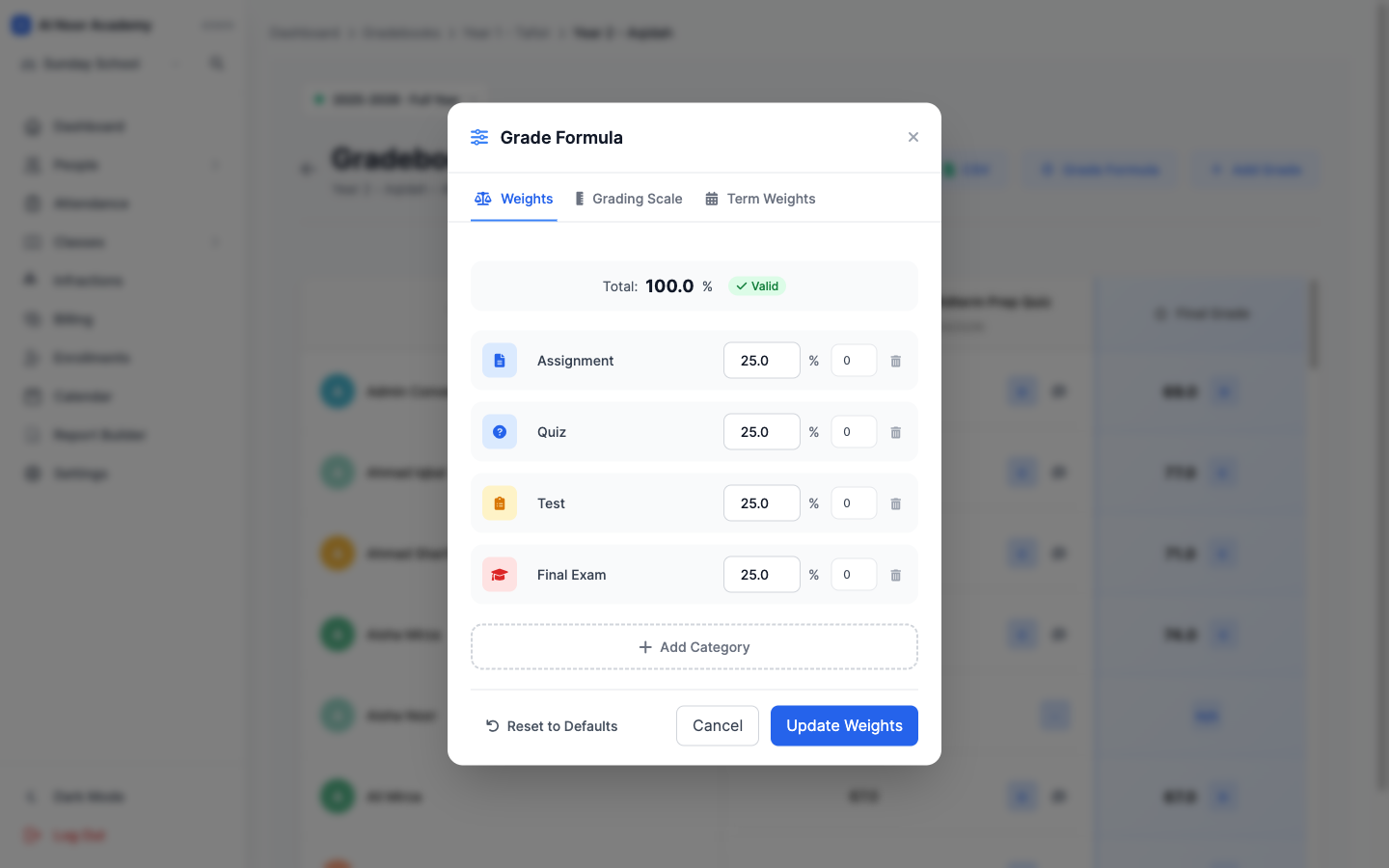
Default categories are Assignment, Quiz, Test, and Final Exam, but you can rename them, change the weights, or add new ones (Memorization, Recitation, Participation, whatever the class needs). Per class, not per district.
Your school's letter scale
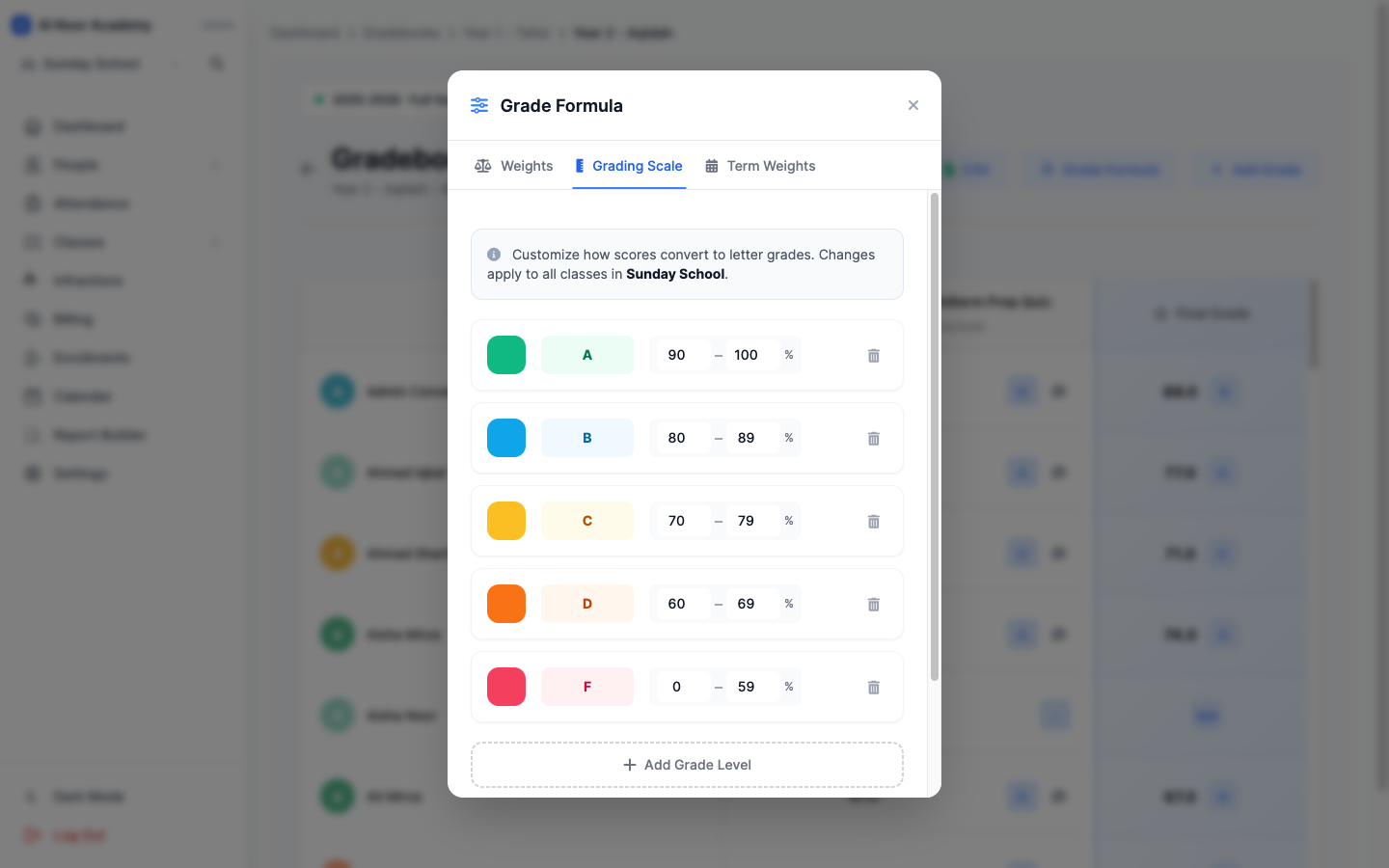
Some schools use the strict 93–100 = A. Others run 90–100 = A. Some break it into pluses and minuses. Set the scale once for your school and every gradebook respects it.
Generate Report. Export CSV. Add a comment per student. Done. The full gradebook breakdown lives on the features page, or get in touch if you'd like a walkthrough.
Related reading
Interested in trying out MarkTrack for free?
Get in touch